Working from home is now a long-term reality for many Massachusetts professionals. The desk where you spend eight or more hours a day accumulates bacteria, dust, and allergens faster than most other surfaces in the house. Yet it is often the last area to receive any real attention.
Proper home office sanitization protects your health and supports your focus. In Massachusetts, where winters seal homes tightly for months and spring pollen seasons are aggressive, a structured cleaning routine is not optional. It is part of how you maintain a functional workspace.
Why your home office needs its own cleaning approach
Most people assume a private workspace stays relatively clean because only one person uses it. Research consistently shows otherwise. The average keyboard harbors more bacteria per square inch than a toilet seat, largely because people eat, cough, and touch their faces at their desks without thinking to clean afterward.
Dust and allergens settle on electronics, fabric chairs, and hard surfaces throughout the day. Without regular home office sanitization, these particles become airborne every time you move around the room, open a drawer, or turn on a fan. For anyone with asthma, seasonal allergies, or respiratory sensitivities, an unsanitized workspace directly worsens symptoms over time.
According to the U.S. Environmental Protection Agency, indoor air can contain two to five times more pollutants than outdoor air. In a closed home office where a printer, desk lamp, and monitor run for hours each day, the air quality issue compounds.
A complete home office sanitization routine covers:
- Daily disinfection of high-touch electronics and surfaces
- Weekly dusting top to bottom, vacuuming floors, and wiping high-touch points
- Monthly deep attention to chairs, windows, equipment areas, and the trash bin
- Ongoing air quality management through ventilation and humidity control
Tip 1: disinfect electronics every day
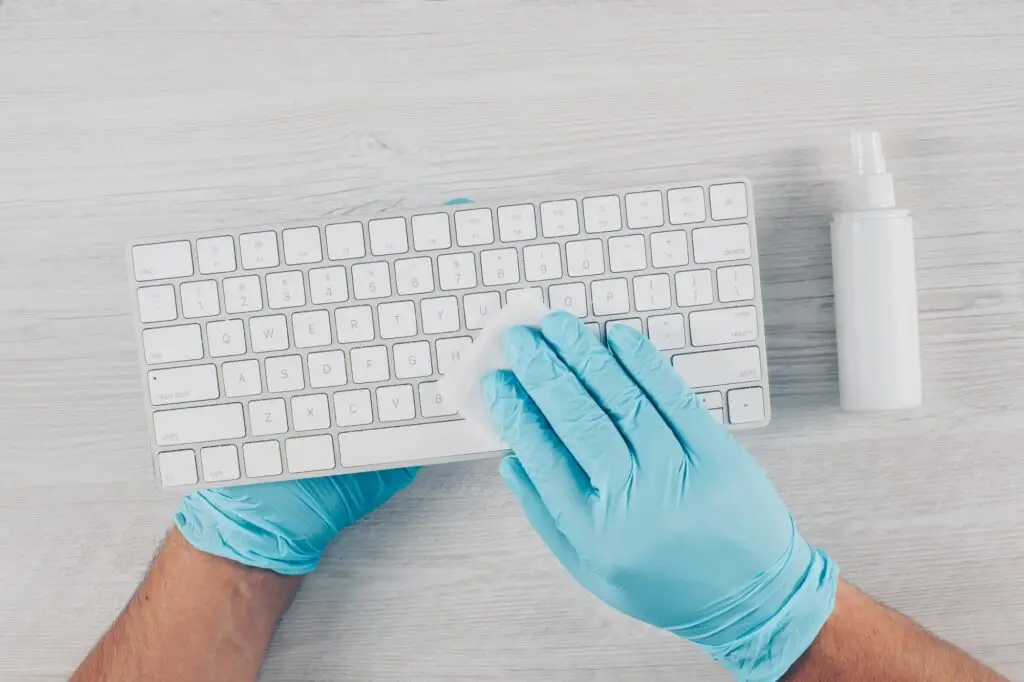
Your keyboard, mouse, phone, and headset are the highest-contact surfaces in the room. They are also the ones most people skip entirely during home office sanitization.
Keyboards are a particular concentration point. Keys trap crumbs, skin cells, and contaminants between every use. A mouse is held in bare hand contact for hours at a stretch. Your phone travels through the whole house and picks up contaminants on every surface it rests on.
How to clean electronics safely:
- Power down and unplug all devices before wiping.
- Use 70% isopropyl alcohol on a microfiber cloth. Never spray directly on screens, keyboards, or ports.
- Use compressed air to dislodge debris from between keyboard keys before wiping.
- Wipe the phone screen, back, and edges at the same time.
- Let surfaces dry completely before powering back on.
This daily step takes under five minutes and removes the highest bacterial load in the entire room. Skipping it for a week produces the equivalent of months of buildup at more infrequent cleaning intervals.
Tip 2: dust from top to bottom, with the right tool
Static-charged electronics attract dust at a faster rate than ordinary surfaces. In older Massachusetts homes with forced-hot-air heating, dust circulates through vents and resettles on every horizontal surface within hours of cleaning.
Dusting in the wrong order, or with the wrong tool, simply relocates particles rather than removing them. Dry dusting with a feather duster or dry cloth lifts particles into the air and lets them settle again nearby.
The correct approach for home office sanitization:
- Start at the highest surfaces: tops of shelves, monitors, and wall-mounted equipment.
- Work down to desk level: wipe the desk surface, lamp base, speaker tops, and any items on the desk.
- Finish at floor level: vacuum or sweep before mopping.
- Use a damp microfiber cloth throughout. Damp cloths capture particles rather than redistributing them.
Cable organization directly affects how well you can clean. Loose cables trailing across the desk surface or floor create areas that cannot be properly wiped or vacuumed. A simple cable box or a few adhesive clips keeps cords contained and surfaces accessible.
Tip 3: clean your chair and floor covering properly
Soft surfaces hold allergens in ways hard surfaces do not. An upholstered office chair absorbs skin cells, sweat, and spills over months of daily use. An area rug traps fine dust, pet dander, and sand tracked in from other rooms.
For upholstered chairs:
- Vacuum the seat, back, and sides weekly using the upholstery attachment.
- Spot treat any stains immediately with a fabric-safe cleaner.
- Schedule a professional upholstery cleaning once or twice a year if the chair is used daily.
For area rugs, vacuum at least twice a week. Fine particles embedded in carpet pile are not fully removed by surface vacuuming alone. If the rug is in a high-traffic path, quarterly steam extraction keeps allergen levels manageable.
If you use a plastic chair mat on hardwood or laminate flooring, lift it monthly to clean underneath. Fine grit accumulates between the mat and floor surface and causes micro-scratching that is invisible until the finish is already damaged. A deep cleaning service addresses these overlooked areas systematically, including behind and under equipment that rarely gets moved.
Tip 4: extend disinfection to all high-touch points
Home office sanitization does not stop at the keyboard and mouse. Every surface you touch regularly throughout the workday is a potential transmission point.
High-touch areas that are commonly missed:
- Door knobs and light switches, touched every time you enter or leave the room
- Desk drawer handles and cabinet pulls
- Window latches and locks, particularly in warmer months when they are opened frequently
- Charging cables, especially at the ends where they are handled repeatedly
- Power strip switches and surge protector buttons
Wipe all of these down at least three times a week with a disinfectant wipe. The full task takes under two minutes. During flu season or any period when someone in the household is ill, daily attention to these points is the single most effective intervention for preventing transmission between rooms.
Tip 5: organize first, then clean
A cluttered desk surface resists proper cleaning. When the desk is covered with papers, cups, and items without a designated place, it becomes impossible to wipe down thoroughly. Organization is the precondition for effective home office sanitization, not a separate project.
A simple end-of-day practice that works well for most professionals:
- File papers or stack them in a single tray.
- Return all items to their designated spots.
- Clear the desk surface so it can be wiped in the morning.
- Replace the trash bag if the bin is more than half full.
This takes about five minutes and means the morning wipe-down is fast and complete rather than a pre-cleaning sorting exercise.
For the desk itself, use trays and organizers to group items into movable units. Moving one tray to wipe beneath it takes seconds. Moving fifteen individual objects takes long enough that the cleaning gets deferred. The easier the task is to complete, the more consistently it happens. Clutter is one of the most common reasons home office sanitization routines break down in practice.
Tip 6: manage ventilation and indoor humidity
Air quality is as much a part of home office sanitization as surface cleaning. Massachusetts winters seal homes tightly to conserve heat, which means stale interior air recirculates continuously. Printers, monitors, and older office furniture off-gas volatile organic compounds (VOCs) that accumulate in closed rooms over hours of use.
Practical air quality steps for a home office:
- Open a window for 10 minutes daily, even in winter. Even brief ventilation significantly dilutes accumulated indoor pollutants.
- Run a HEPA air purifier in the room. HEPA filtration captures dust mite allergens, pollen, and fine particles that vacuuming alone does not remove from room air.
- Maintain indoor relative humidity between 40% and 60%. Below 40% in winter, airborne viruses spread more easily. Above 60% in summer, mold growth becomes a risk.
- Wipe HVAC vents in the room monthly to prevent accumulated dust from being circulated back into the air.
A regular cleaning schedule that includes vent and filter checks at the whole-home level supports air quality in the office as part of the overall maintenance routine.
Tip 7: build a tiered cleaning schedule
The most effective home office sanitization strategy is predictability. Irregular, intensive cleaning sessions allow buildup between visits that undoes the work quickly. A tiered schedule distributes the effort so that no single session feels demanding and the workspace stays consistently maintained.
Daily tasks (5 to 10 minutes):
- Wipe the desk surface with a damp microfiber cloth
- Disinfect keyboard, mouse, phone, and headset
- Remove food wrappers, mugs, and anything that does not belong
- Return items to their places
Weekly tasks (15 to 20 minutes):
- Dust all surfaces from top to bottom
- Vacuum the floor and any rugs
- Empty the trash bin
- Wipe door knobs and light switches
Monthly tasks (30 minutes):
- Vacuum and spot-clean the office chair
- Clean windows, sills, and blinds
- Move equipment and clean underneath and behind it
- Disinfect the inside of the trash bin
- Check and wipe HVAC vent in the room
Breaking the work into these layers makes each session manageable. The workspace does not accumulate to a point where cleaning feels like an intensive project. It stays at a baseline that requires only light maintenance at each interval.
What a clean home office looks like over time
The difference between a home office that supports health and productivity and one that gradually undermines both comes down to consistency. None of the tips above requires significant time or expense. The cumulative effect of seven small, consistent habits is a workspace with lower allergen levels, fewer surface contaminants, better air quality, and a physical environment that signals readiness rather than neglect.
For Martha’s Vineyard and Massachusetts professionals who want professional support for deep cleaning and ongoing maintenance, ICP Cleaning Services covers home office areas as part of whole-home cleaning visits. Scheduling a session before the start of a new season, or after a period of high household illness, is one of the most effective ways to reset the baseline.
Frequently asked questions about home office sanitization
How often should I sanitize my home office? Daily for high-touch electronics and surfaces: keyboard, mouse, phone, and door handles. Weekly for dusting, vacuuming, and less-touched hard surfaces. Monthly for chairs, windows, equipment areas, and the trash bin interior.
What cleaning products are safe for electronics? 70% isopropyl alcohol applied to a microfiber cloth is the standard recommendation for electronics. Avoid bleach, ammonia, and any product applied directly as a spray to screens, keyboards, or open ports. For screens specifically, a dry or barely damp microfiber cloth without any solvent is the safest option.
Does indoor air quality actually affect how well I work? Yes. The EPA links poor indoor air quality to fatigue, headaches, and reduced concentration. In a home office where a monitor, printer, and HVAC system run simultaneously in a closed room, air quality degrades measurably over a workday without ventilation. Brief daily ventilation and a HEPA air purifier address this directly.
How is home office sanitization different from cleaning the rest of the house? Home offices have a higher concentration of electronics, cables, and hard surfaces touched frequently with bare hands. Equipment generates heat that accelerates dust accumulation. The room is also typically used for more consecutive hours than any other room in the house, which increases the rate at which surfaces accumulate bacteria and particles. The approach requires more frequent electronic disinfection and active air management than standard room cleaning.
Should I clean before or after the workday? Both, in different ways. A quick wipe of the desk and electronics at the start of the day is the most useful single habit. A five-minute end-of-day organization routine, clearing the surface and removing food and drinks, means the morning wipe is fast and complete. Weekly and monthly tasks are easiest when scheduled on a consistent day rather than left to when it feels necessary.
How does humidity affect a home office specifically? Low humidity in winter dries out mucous membranes, which reduces the body’s natural defense against airborne pathogens. High humidity in summer creates conditions for mold growth in any area where moisture accumulates, including under keyboards, behind equipment, and in any fabric surface. Keeping indoor humidity between 40% and 60% is the most practical range for both health and equipment longevity.